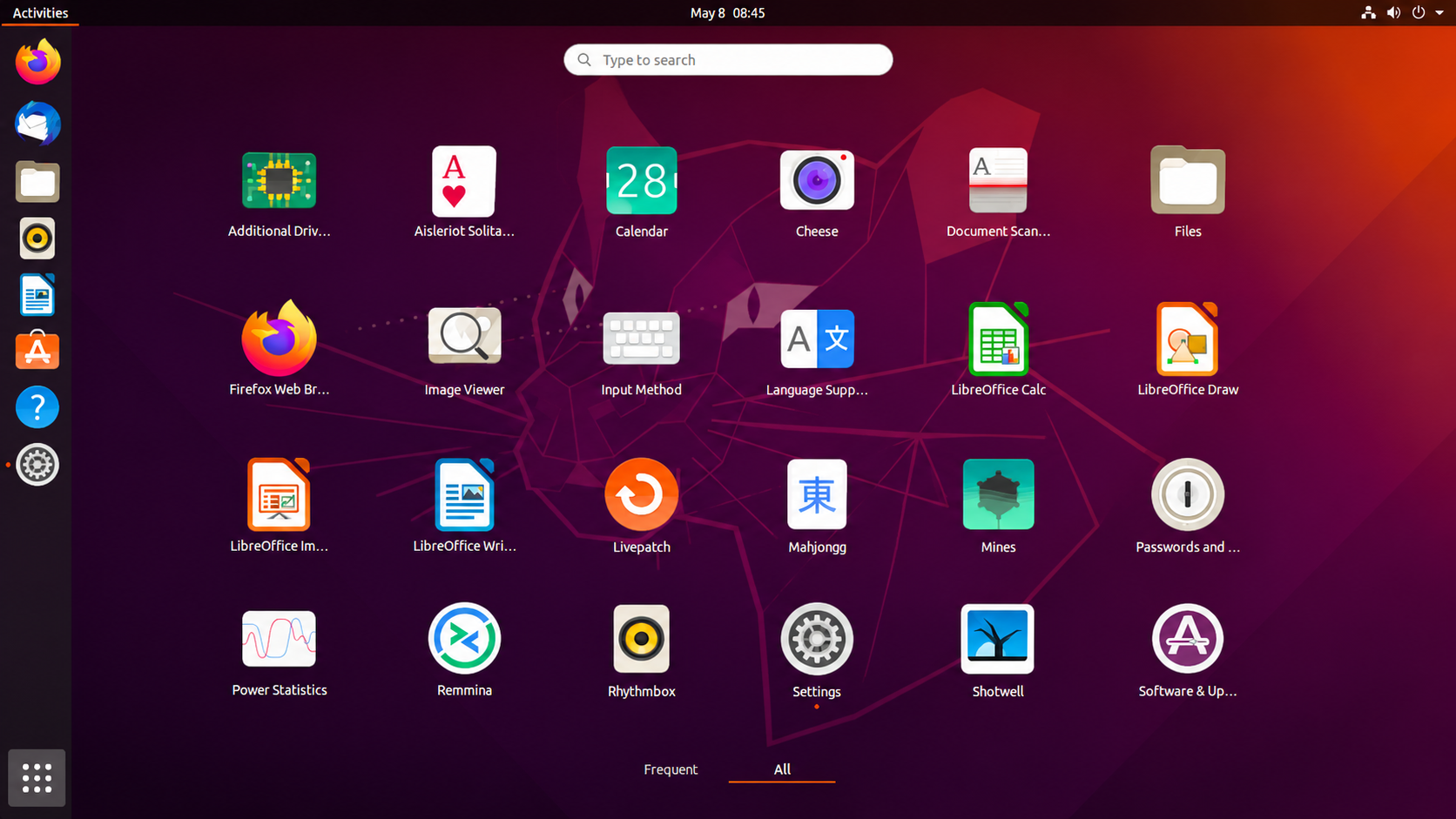
A Laptop Windows Couldn't Handle
The ThinkPad E450 started freezing on Windows 10. At first it was occasional, a stutter here and a lockup there. Then Windows 11 went on and the laptop stalled at the loading screen and never got any further.
At that point the choices were simple. Buy a new laptop, keep fighting Windows, or try something different. Ubuntu was free, so it got a shot.
It turned out to be a more interesting experiment than expected, with real strengths and some real frustrations. This review covers both, plus what has changed since, because Linux in 2026 isn't the Linux of a few years ago.
The Machine: A ThinkPad E450
The E450 is a 14-inch business laptop from around 2015. Lenovo built it with 4th or 5th generation Intel Core chips and sold it with anywhere from 4GB to 16GB of memory, and most versions have a modest 1366 by 768 screen. It was never a powerhouse, but in its day it was a solid machine for browsing, documents and media.
That age helps explain the trouble. Windows 11 doesn't officially support chips from that generation, which fits with an install that stalled on the loading screen.
Ubuntu went on in late 2023, on a unit with 4GB of RAM, and stayed for about three months, until early 2024. After that the experiment ended. Ubuntu was complicated, and most of what had been routine on Windows couldn't be done.
Speed: The Biggest Surprise
The first thing that stood out was how fast Ubuntu felt. The same laptop that froze and crawled on Windows suddenly felt quick and responsive.
Part of the reason is that Ubuntu asks less of the hardware than Windows does, so more of a modest processor's power goes to the actual work. For an aging machine, that's the strongest argument for switching, and it holds up.
If speed were the only thing that mattered, the story could end here. It doesn't.
The Terminal Problem
Speed came with a price. Back then, getting almost anything done meant typing commands. Installing a program, changing a setting, getting something to work: the answer usually started with a terminal window and a line of text to copy.
That's fine if you enjoy it or have a good memory for commands. If you don't, it wears you down quickly. Every task becomes a small research project, and one wrong character can send you back to the start.
Finding help was a problem of its own. The YouTube videos were general and rarely focused on the specific problem at hand, so fixing one particular issue meant a lot of searching.
This was before AI chatbots became as capable as they are now. Today, having a command explained or an error message decoded takes seconds, and for a beginner that changes the experience more than any change in Ubuntu itself.
Ubuntu has also improved the point-and-click side. Its App Center lets you search for software and install it with a click, no terminal needed. The command line still turns up now and then for setup jobs, but it's no longer the front door.
Apps: Usable, but Not Quite Equal
Ubuntu covers the basics and plenty more is a download away. There's an office suite and there are image and video editors, and they cover the same jobs as the Windows programs most people know. They felt like knockoffs of them, though. They worked, but they weren't as proficient or as efficient.
That gap matters most for people whose work depends on specific software. If your routine is built around one Windows program, the Linux alternative will probably feel like a step down. For basic documents, browsing and light editing, Ubuntu was usable.
Gaming: Where Linux Fell Short
Gaming was the sharpest disappointment. Several low-end games that ran fine on Windows weren't available on Linux, GTA San Andreas among them. These weren't demanding titles, just older games that never got a Linux version.
There's a workaround in theory. Wine can run Windows programs on Linux. Trying it didn't work out, though, and that was probably down to how complicated it was to set up, not a flaw in the tool.
This is the area that has changed most since. Valve's Proton, a compatibility layer built on Wine and built into Steam, has matured a great deal. Proton 11 reached a stable release in July 2026, and by the end of August more than 30,000 Steam titles carried a Steam Deck Verified or Playable rating. Data drawn from ProtonDB suggests that nearly 90 percent of Windows games now launch on Linux, and older DirectX 9 titles are often among the easier ones.
Two limits remain. Anti-cheat in multiplayer games is still a barrier, and the integrated graphics in a laptop like the E450 will cap what runs well no matter which operating system is installed.
Linux Mint: Friendlier Looks, Same Commands
Linux Mint came next, and it's the closest to Windows in appearance. Its Cinnamon desktop has a familiar taskbar and menu, and it's often described as looking like a polished version of Windows 7, so the first hour feels far less alien.
Looks only go so far, though. Mint still needed commands for many tasks, so the main complaint carried over from Ubuntu. If the terminal was the problem, a Windows-style skin didn't fix it.
Mint is still worth a look. It's built on Ubuntu, and it blocks Snap packages by default in favor of Flatpak and regular packages. Version 22.3 arrived in January 2026, and Mint 23 is expected around Christmas, built on Ubuntu 26.04.
What Has Changed Since Then
The testing above is a few years old, and both Windows and Linux have moved on. Here's where things stand in November 2026.
Ubuntu itself. The current long-term release is Ubuntu 26.04 LTS, which arrived in April 2026 and is supported until 2031. It's also hungrier. Canonical now lists 6GB of RAM as the minimum for the desktop edition, up from 4GB, along with a 2GHz dual-core processor and 25GB of storage. The E450 shipped with anything from 4GB to 16GB, and this one had 4GB, which is below that new minimum. Lighter flavors such as Xubuntu and Lubuntu exist for older machines and ask for less.
Windows 10. It reached end of support on October 14, 2025, but Microsoft has extended its consumer security update program to October 12, 2027, so staying put is possible for now. That doesn't cure freezing, which was a performance problem and not a security one.
Gaming, apps and help. Gaming is far better than it was, as covered above, and AI chatbots make the command line much less intimidating.
One honest limit remains. The hands-on testing here wasn't repeated on today's Ubuntu, so the experience could well be smoother now.
Who Should Try It
Ubuntu suits anyone with an old laptop that Windows has given up on and a willingness to learn a little. It works well for browsing, writing, study and light creative work, and for people curious enough to enjoy the process. Among the major distros it's also the beginner-friendly pick, with a huge community and plenty of tutorials.
It's a poor fit for people who rely on specific Windows software, game heavily, or dislike troubleshooting. If that's you, an SSD upgrade and a clean Windows install may serve you better.
A sensible plan is to try it without committing. Boot Ubuntu from a USB stick, see how the laptop behaves, and decide from there.
Ubuntu can bring a struggling old laptop back to life, and the speed alone makes the trial worthwhile. The terminal, the weaker apps and the gaming gaps held it back in testing, though newer tools and AI helpers have eased much of that. Check your RAM first. With only 4GB, as on this E450, the current release sits below its own minimum, and a lighter flavor is the safer place to start.

Anthony Dami
Technology & Culture writer at Largern, focusing on AI, consumer hardware, film, internet culture, and the routines and tools behind everyday life.
Comments (0)
No comments yet
Be the first reader to share your perspective on this story.